Isaac Sim
Run NVIDIA Isaac Lab on Velda Cloud
About Isaac Sim
NVIDIA Isaac Sim is a robotics simulation platform used to build and test physical AI workflows in realistic 3D environments. It is widely used for robotics development, synthetic data generation, and digital twin simulation. For full product details, see the official NVIDIA page: NVIDIA Isaac Sim.
About Isaac Lab
Isaac Lab is a GPU-accelerated, open-source framework designed to unify and simplify robotics research workflows, such as reinforcement learning, imitation learning, and motion planning.
Learn more at GitHub.
With Velda, you can launch Isaac Sim on a serverless GPU in about a minute, and access directly through your browser.
Quick Start
This is a ready-to-run Velda environment for Isaac Sim and Isaac Lab. All dependencies are installed, including the GUI.
Run Reinforcement learning in headless mode
Headless mode disables rendering for faster speed.
To run RL in headless mode, choose the pool with desired GPU (e.g. l40s-1-16d for L40s and 16 cpu cores), and prefix the command with vrun -P [pool]. Example:
vrun -P l40s-1-16d ./isaaclab.sh -p scripts/reinforcement_learning/rsl_rl/train.py --task=Isaac-Velocity-Rough-Anymal-C-v0 --headless
Run Reinforcement learning with direct rendering, and view from browser
You can also start an X-window server to inspect the simulation with GUI.
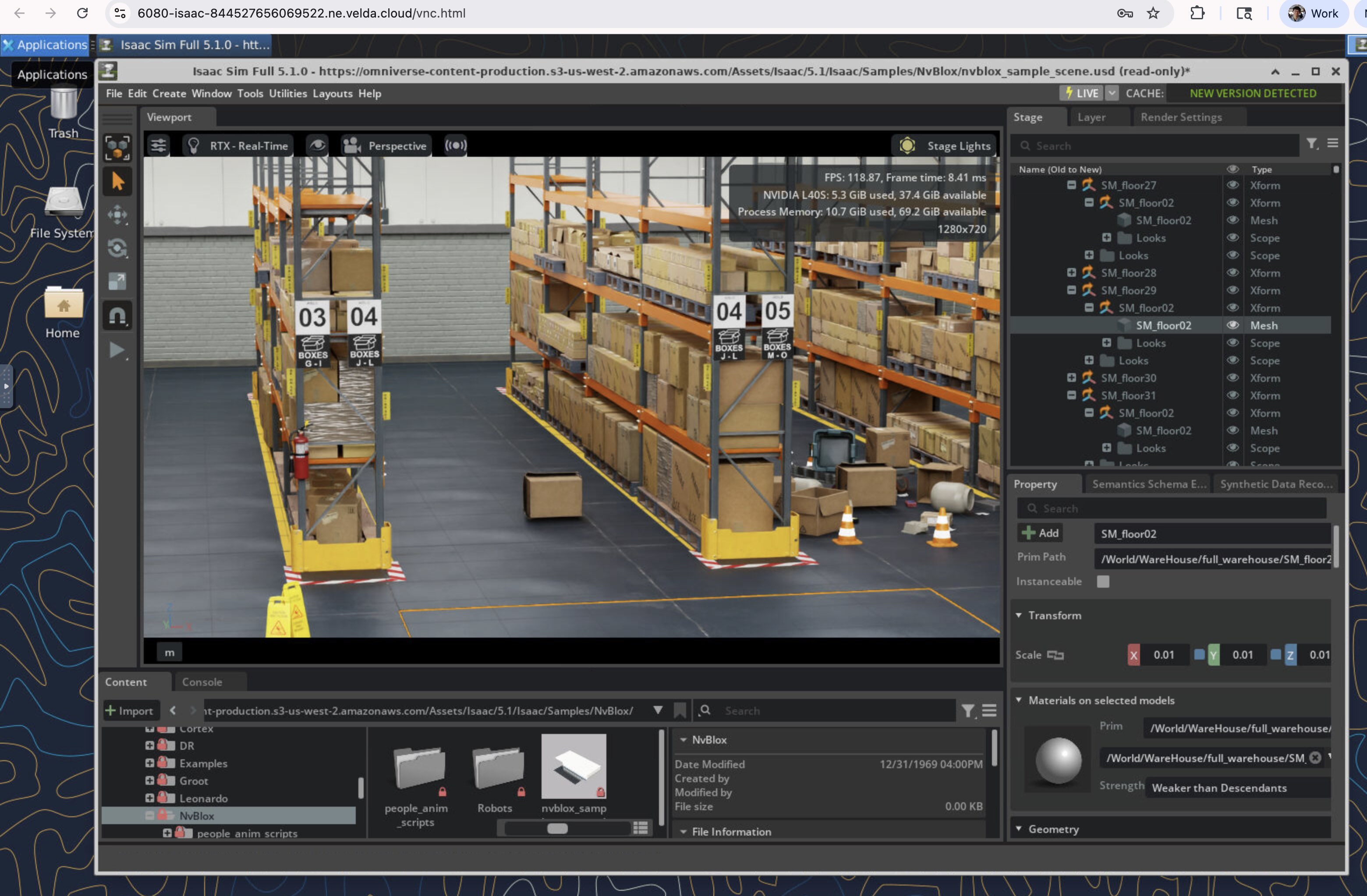
Velda provides built-in VNC forwarding over HTTP, so you can view the result directly in the browser.
To run a command with rendering enabled, add -s isaac to the vrun command, and prefix the command with ./runx. Example:
vrun -P l40s-1-16d -s isaac ./runx ./isaaclab.sh -p scripts/reinforcement_learning/rsl_rl/train.py --task=Isaac-Velocity-Rough-Anymal-C-v0
This will print a URL (e.g., https://6080-isaac-123456781234.ne.velda.cloud/vnc.html) where you can view the GUI and start the simulation/reinforcement learning.
Learn more
- Isaac Sim documentation
- Isaac Lab repo
- Source code for setting up Xorg with NVIDIA rendering and remote VDI